
A simpler way to run automotive quality inspections
LineGate gives automotive quality teams a simple way to capture part defects on the plant floor and produce traceable reports—without the spreadsheet chaos and manual admin work.
See it in action
From plant floor to dashboard—capture inspections on mobile, track everything in real time.
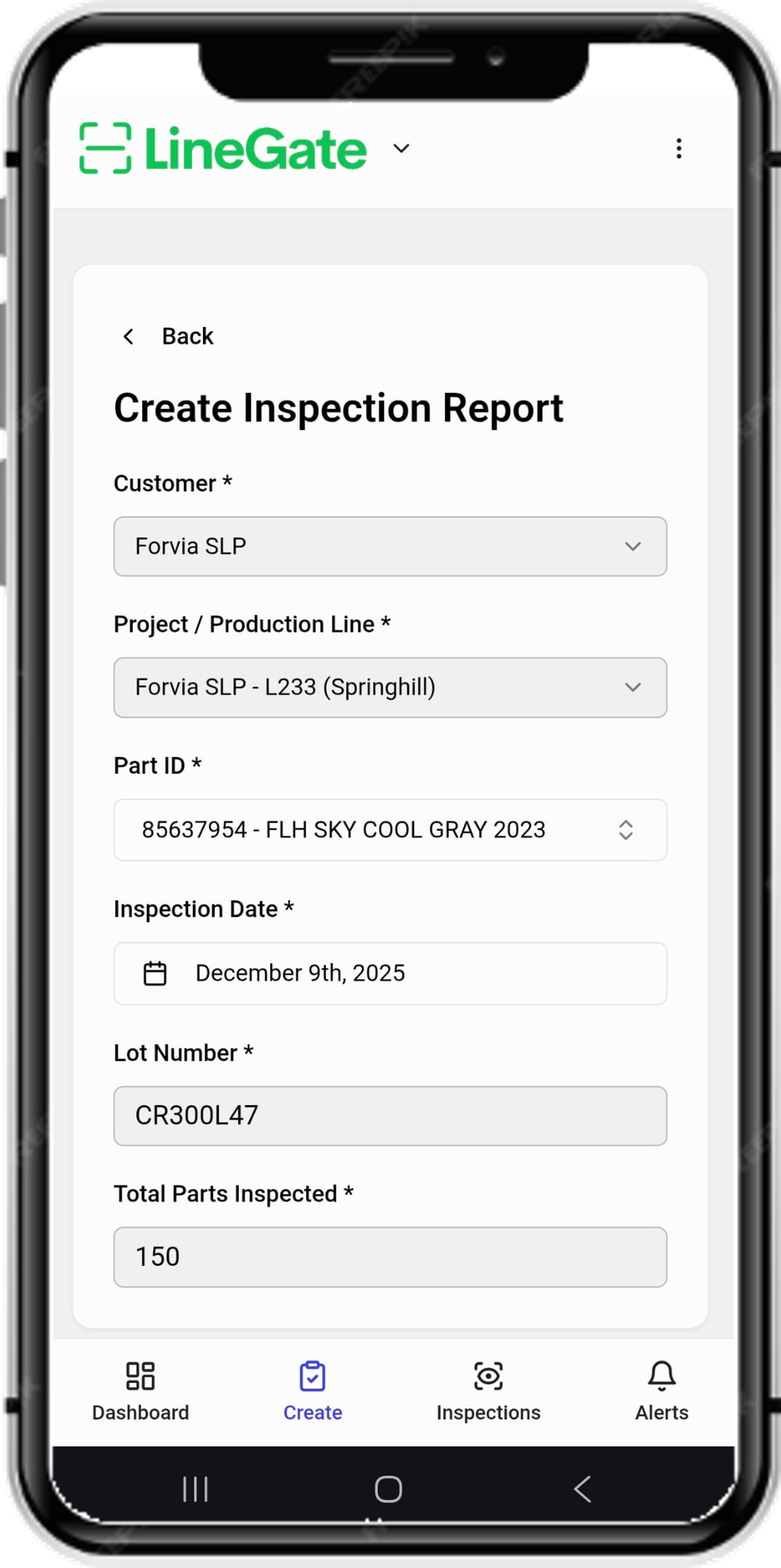
Create inspection reports on the go
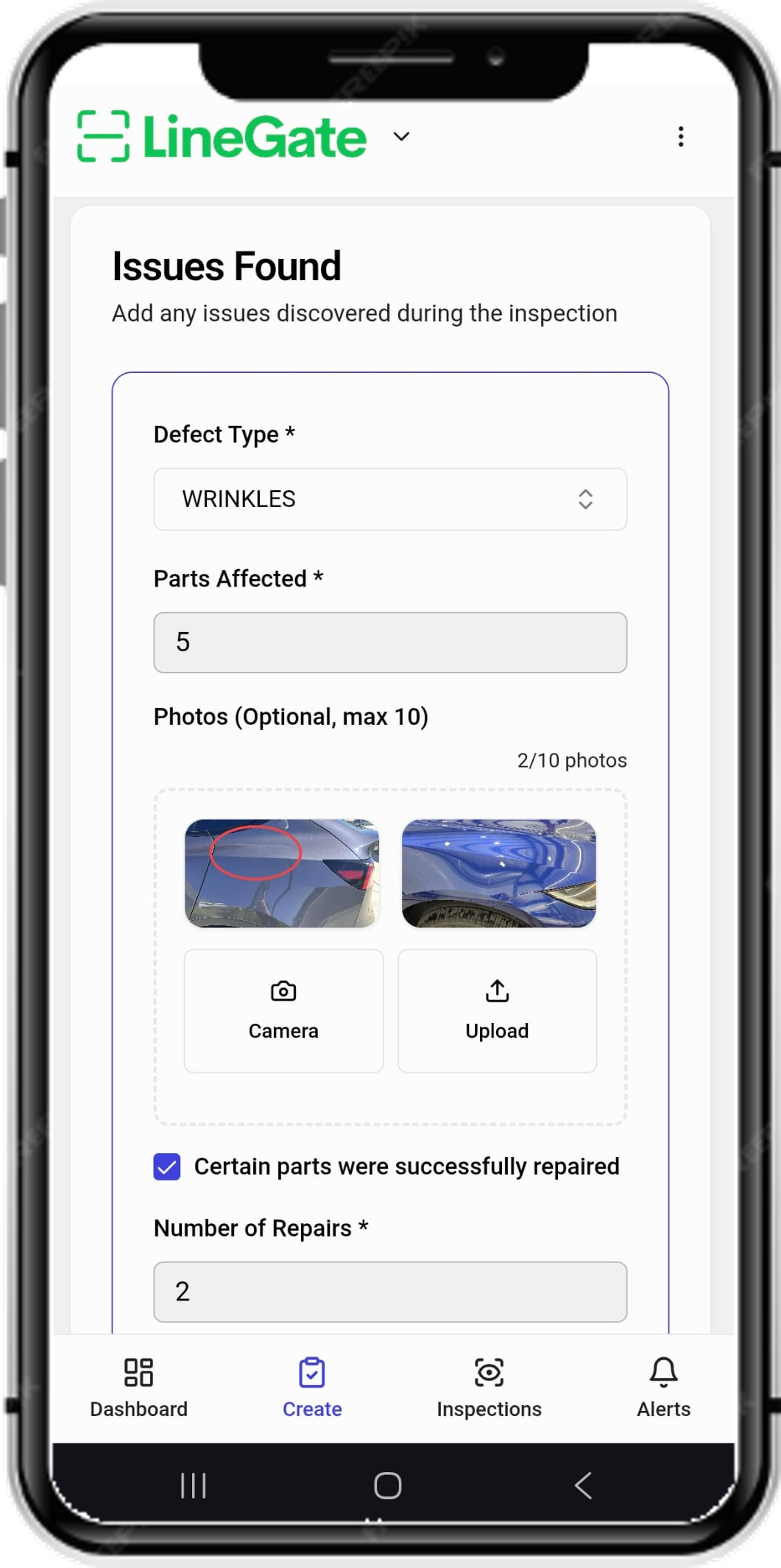
Log defects with photo evidence
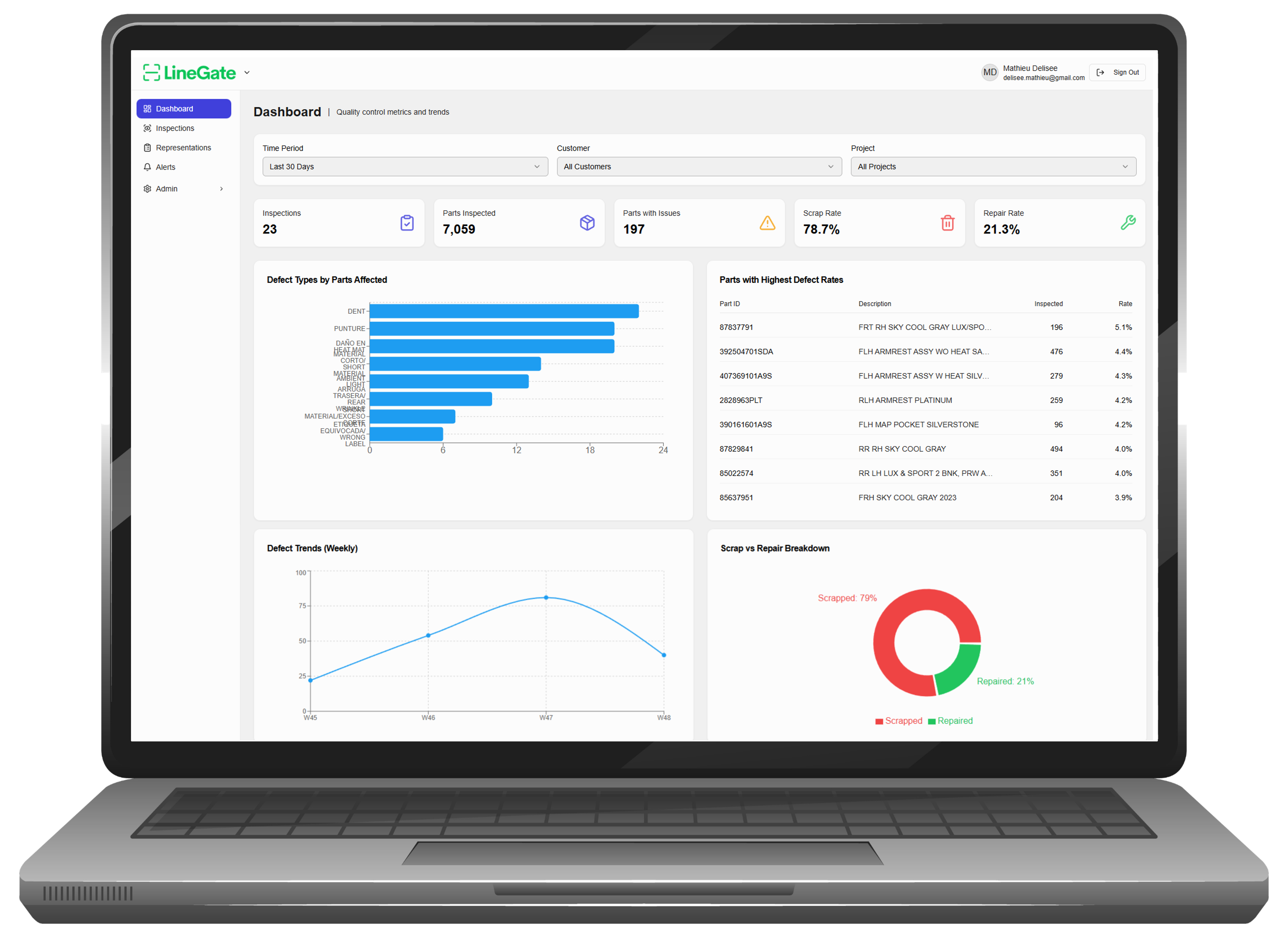
Track metrics and generate reports from the desktop dashboard
LineGate is currently in Beta—free to use while we refine the experience with early adopters.
Request free accessThe problem we're solving
The reality of quality and containment work at most plants:
Excel + paper + photos scattered across phones
Inspection data lives in different places depending on who captured it. Finding last week's photos means texting three people.
Late reporting, manual re-entry, missing traceability
End of shift means hours of copying data from paper logs into spreadsheets. Mistakes happen. Traceability gaps appear when customers ask questions.
Hard to prove containment effectiveness
When a customer asks "how do you know the sort worked?", the answer involves digging through files and hoping nothing got lost. Reports take hours to compile.
What it does
A simple system built for the way containment and quality inspection actually works.
Fast defect capture
Scan barcode or enter part ID, select defect category, snap a photo. Done in seconds—not minutes.
Containment job tracking
Track lots, shifts, inspectors, and disposition (scrap, rework, pass). Know what's been sorted and by whom.
Real-time reporting
Generate clean exports for customers and internal teams. No end-of-shift data entry marathon.
Close-the-loop follow-ups
Assign actions, track owners, timestamp closures. Nothing falls through the cracks.
How it works
Four steps from setup to clean reports.
Set up a job
Define site, customer, part number, and defect categories. Takes a few minutes for a new job.
Capture inspections fast
Scan or enter part ID, select defect type, add photo evidence. Each inspection takes seconds.
Track disposition & actions
Mark parts as scrap, rework, or pass. Assign follow-up actions with owners and due dates.
Generate clean reports
Shift summaries, defect counts, traceability logs—ready for customers or internal review.
Who it's for
Primary personas
-
Director / Manager of Quality
Needs visibility into containment activities, evidence for customer reporting, confidence that nothing slips through.
-
Quality Engineer / SQE
Wants traceability for investigations, a clear workflow for closing out actions, less time spent compiling reports.
-
Quality Liaison Ops Lead
Needs speed for the floor, easy job tracking across teams and contractors, less paperwork at shift end.
Works where you work
-
Plant floor, containment areas, dock checks
Mobile-friendly capture works in lighting conditions and with gloves.
-
Multi-site operations
Centralized data from multiple plants, consistent workflow across locations.
-
Teams using contractors and rotating inspectors
Simple enough for new inspectors to learn quickly, structured enough to maintain consistency.
Frequently asked questions
Is this a full QMS replacement?
No. LineGate is focused on inspection capture, containment tracking, and reporting. It's designed to work alongside your existing QMS—not replace it. Think of it as the fast, plant-floor layer for defect and containment data.
Can we start with one plant / one job?
Yes, and we recommend it. Start with a single containment job or inspection point. Once you see the workflow, expand from there. No need to roll out everywhere at once.
Do we need scanners?
Not required. You can scan barcodes using a phone camera, use a Bluetooth scanner if you have one, or just type in part IDs manually. LineGate adapts to what you have.
How do you handle photos and evidence?
Photos are captured in the app and stored securely with each inspection record. They're linked to the part ID, defect type, and timestamp—so you can find them later without digging through camera rolls.
What reports do we get?
Shift summaries, defect pareto charts, containment job reports, and traceability logs. Reports can be exported as PDF or CSV. We're adding more based on early user feedback.
What's the typical rollout time?
Most teams start capturing inspections within a day or two of setup. Job configuration is straightforward—define your parts, defect categories, and you're ready. No lengthy implementation projects.
Does it work offline?
Yes. The mobile app lets you capture inspections even without a network connection—common in areas with poor plant Wi-Fi or cellular dead zones. Data syncs automatically when you're back online. No lost work.
Request free access to LineGate
If you're dealing with manual inspection logs, Excel reporting, or slow defect follow-up loops, we'd love to learn from your workflow.
Request free access